Method 07 · Fretello · 2019
Benchmarking with SUM
Two prototypes, one number. How we stopped arguing about screenshots.
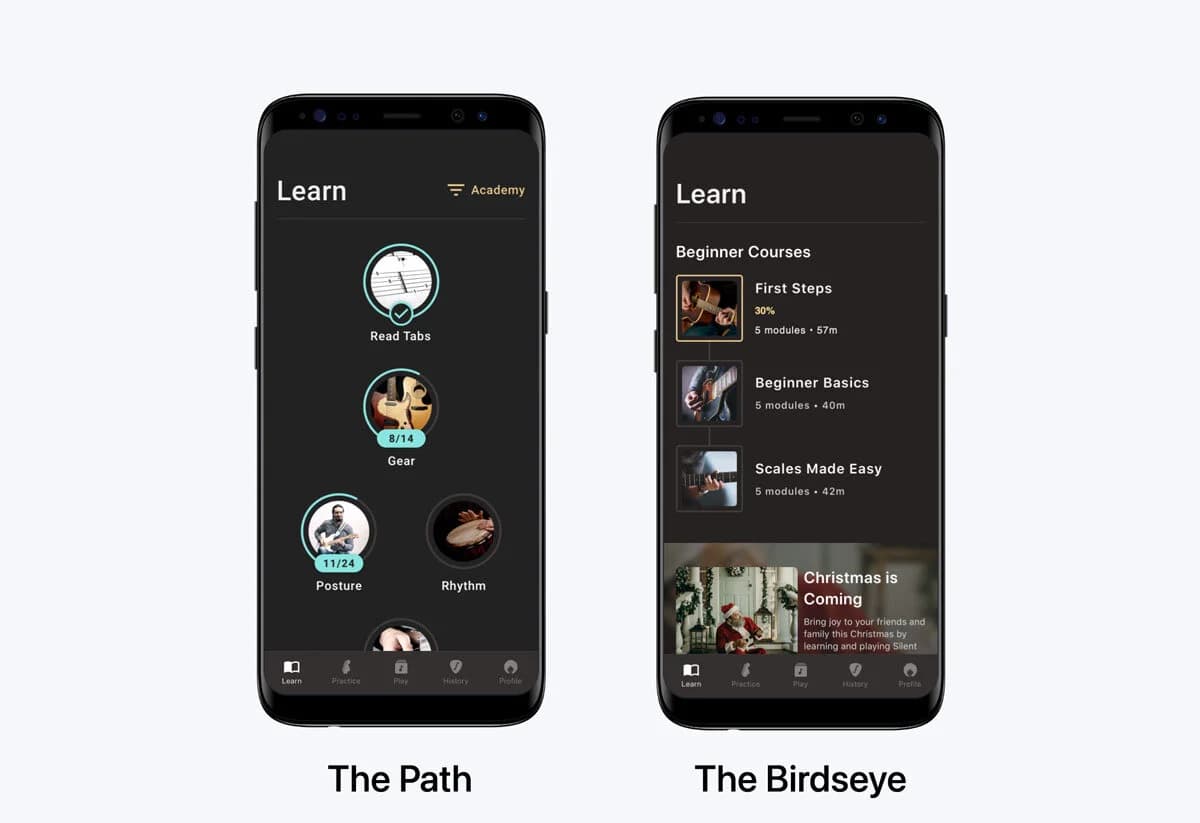
The two prototypes. The Path on the left, The Birdseye on the right.
- SUM for “The Path”, with an 11% margin of error
- 91.5%
- Round three
- SUM on every main task for the combined design
- > 75%
- Shipped
- week-one retention
- +35%
- After release
- trial-to-paid conversion
- +20%
- After release
In short
Álvaro Velasco compared the Path and Birdseye Learn Path concepts at Fretello in 2019 using SUM, the single usability metric. Completion, time on task and satisfaction across shared tasks were standardised into one score per variant. The Path scored 91.5%, with an 11% margin of error. The combined design that shipped lifted week-one retention by 35% and trial-to-paid conversion by 20%.
01 · The method
Three measures, one comparable number.
For each variant, run a usability test with a shared task script. Capture completion, time on task and satisfaction, standardise them per task, and average them into one score per variant: the single usability metric.
It needs no feature flag, no rollout cohort and no production traffic. Clickable prototypes and a stopwatch are enough.
The Learn Path workshop described in the Fretello case study produced the two ProtoPie prototypes: the same content, with different mental models.
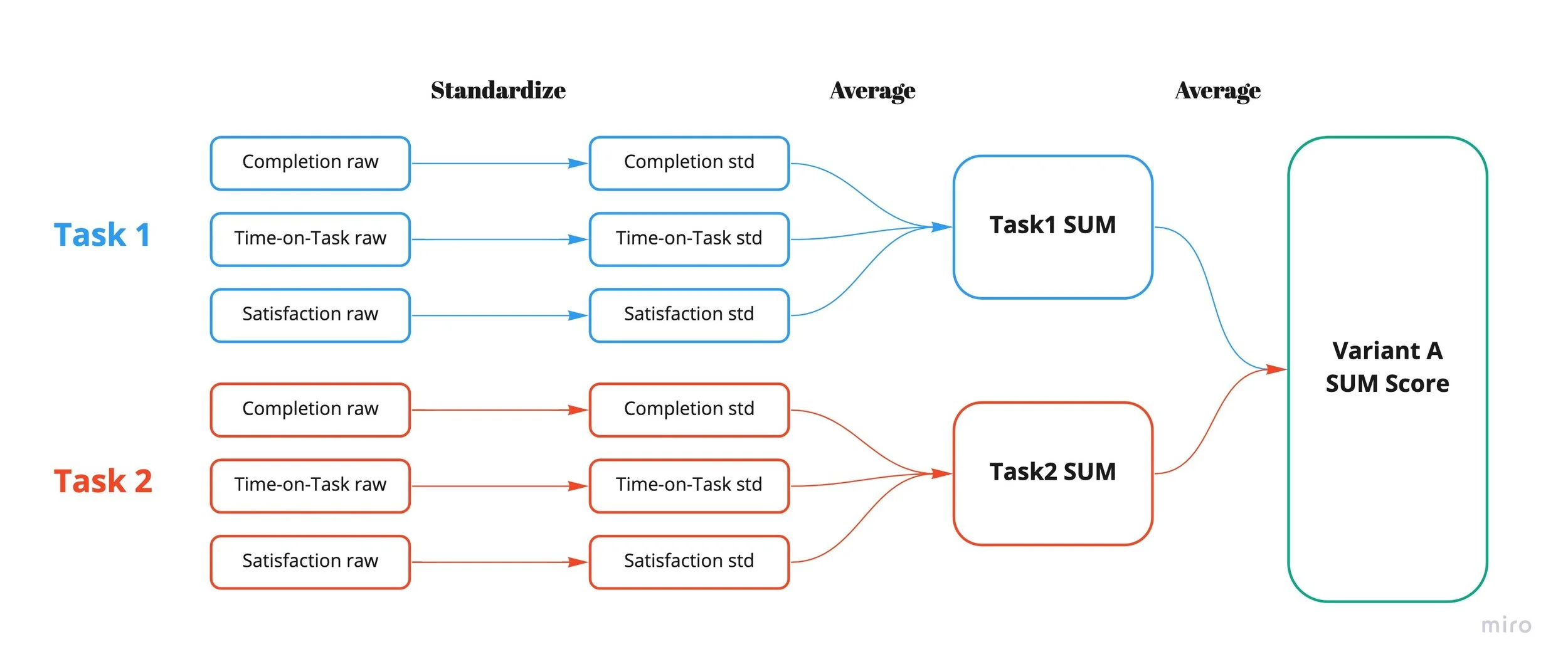
How the raw numbers roll up. Standardise inside each task, average across tasks, end with one number per variant.
Variant A
The Path
A guided ladder through the content. Won on average: SUM 91.5%, with an 11% margin of error.
Variant B
The Birdseye
A catalogue with progress overlaid. Lost on average, but won specific tasks, like browsing for a featured course.
The test
Usability analysis
We wrote a task script that mapped to the requirements: completing a module, navigating to the next module, finding a featured course, picking up where you left off, jumping to a specific lesson. Three rounds of testing wrapped inside two sprints. Each task captured completion, time on task, and self-reported satisfaction; we standardised the raw scores and averaged them into a SUM per variant.
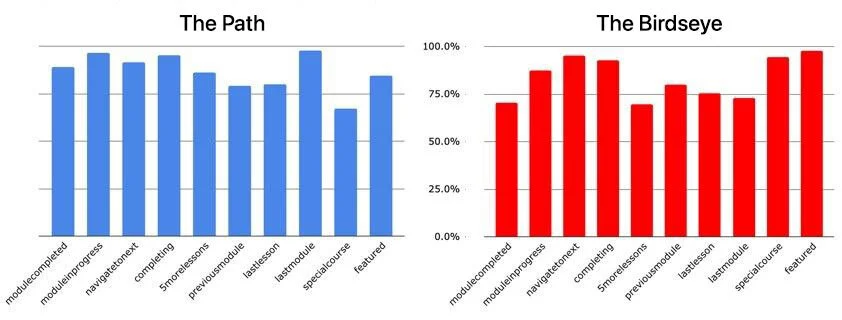
Per-task SUM scores. The Path wins on average; the Birdseye wins on a few tasks that pull it through.
02 · The decision
Don’t pick one. Ask what each does well.
A third prototype took the Path’s spine and added the Birdseye’s catalogue. It scored above 75% on every main task, and we shipped it. Week-one retention rose 35% and trial-to-paid 20%.
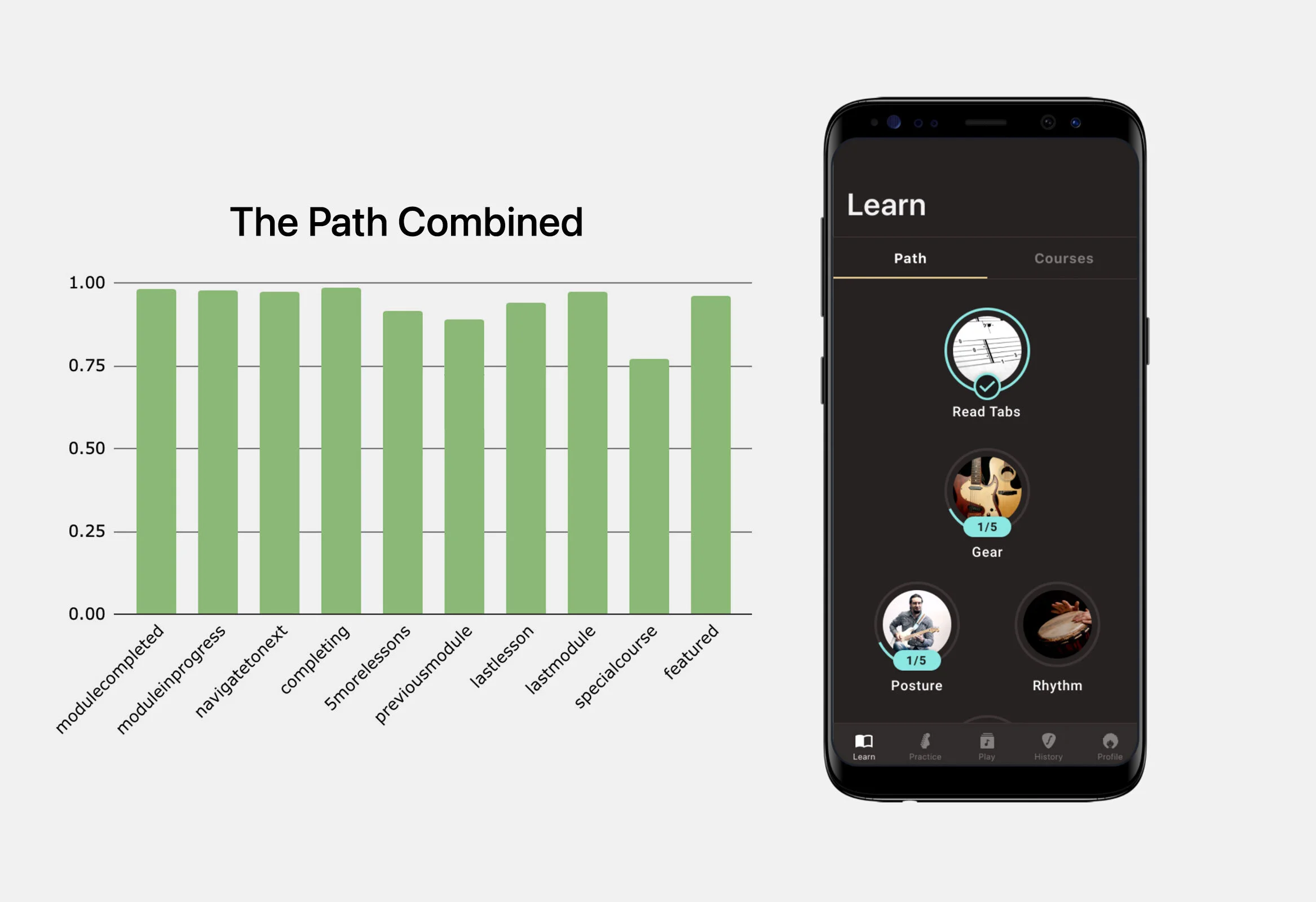
Combined design: above 75% on every task, plus the shipped Learn screen with Path and Courses as parallel routes.
Scope
From the test plan to the combined design.
Senior Product Designer. The UX team at Fretello partnered with engineering for the MVP build. I owned the test plan, ProtoPie prototypes, task scripts, data analysis and the call on the combined design.
The lesson
When two prototypes both score well, the answer is rarely to pick one.
It’s to understand what each is doing well, and whether people can have both without confusion.
It pairs cleanly with hypothesis-driven design. Your hypothesis names what you expect to be true; SUM tells you whether it was. The metrics you measure (completion, time, satisfaction) are the same shape as the “We’ll know this is true when…” line.